Staff planning for an anaesthesia team.
Stock tracking for a plastic surgery clinic.

I built a staff planning app for an anaesthesia team and an implant inventory app for a plastic surgery clinic. Each helps a different team manage its daily work.
Scope
Staff planning, pay reports, implant inventory
Built with
Laravel · React · Inertia
Context
In daily use since 2025
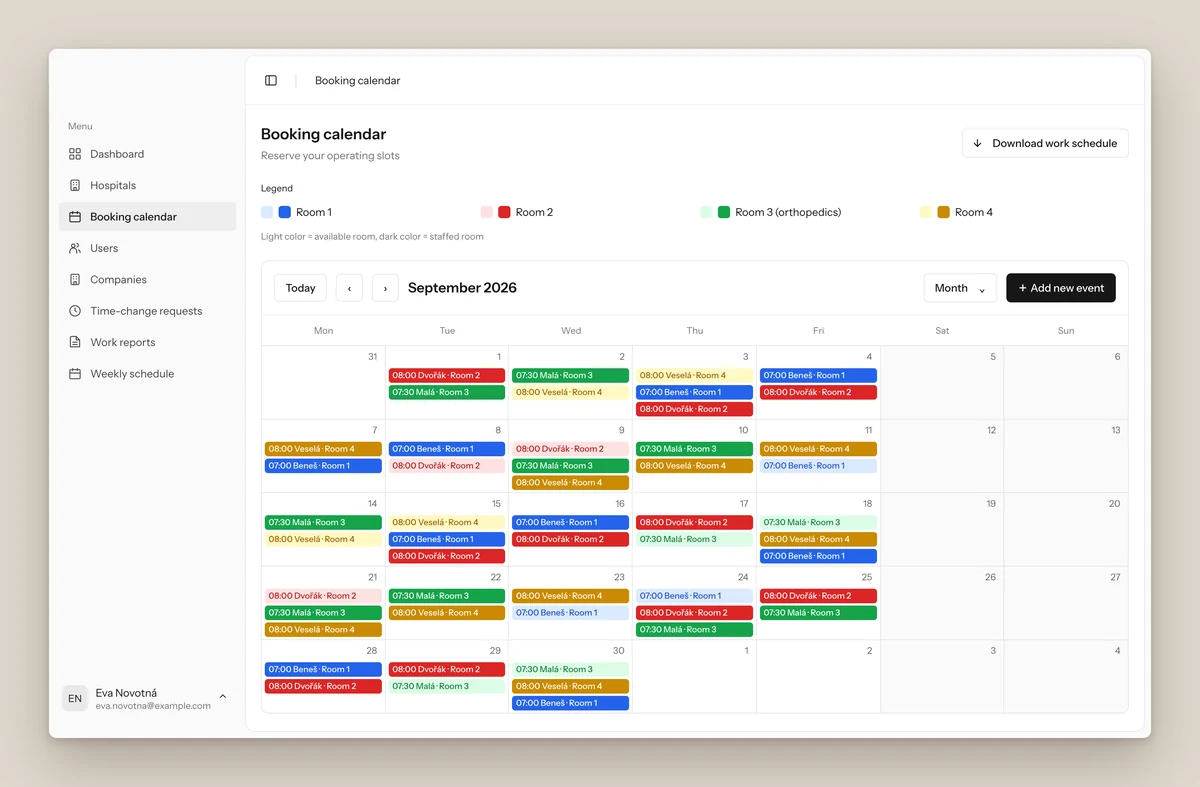
Booking calendar for a month: operating days per room in four colours, light when the day is still open and dark when a doctor and a nurse are booked
01 / Staff planning / Booking calendarProduct screenshot · Demo data

The anaesthesia team’s owner planned shifts through emails and spreadsheets and added up staff hours by hand. At the plastic surgery clinic, implant stock was kept in a paper book. Clinic staff had to check the shelf to know what was available.

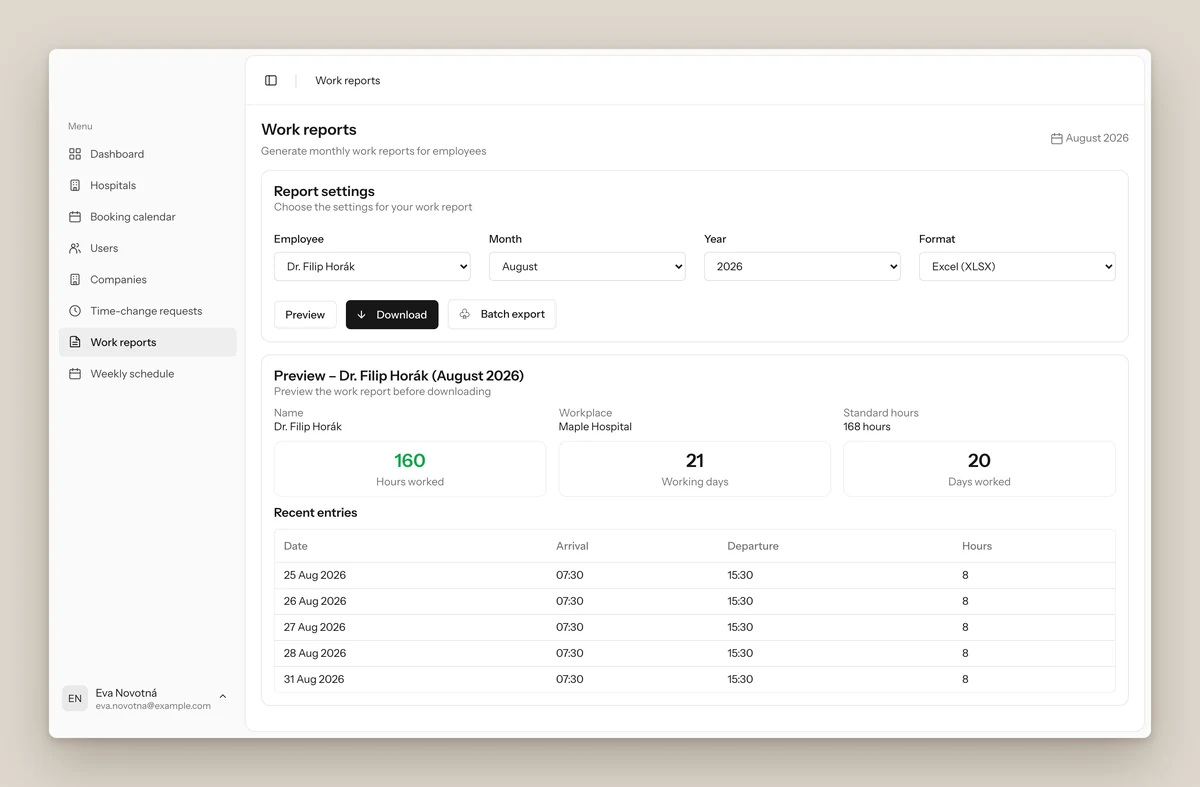
I built a shared calendar where the anaesthesia team’s doctors and nurses choose their operating days. It imports schedules from partner clinics and creates monthly work and pay reports.

For the plastic surgery clinic, I built an inventory app that tracks each implant from delivery to surgery. Clinic staff can check stock during a patient consultation and scan boxes as they arrive or are used.
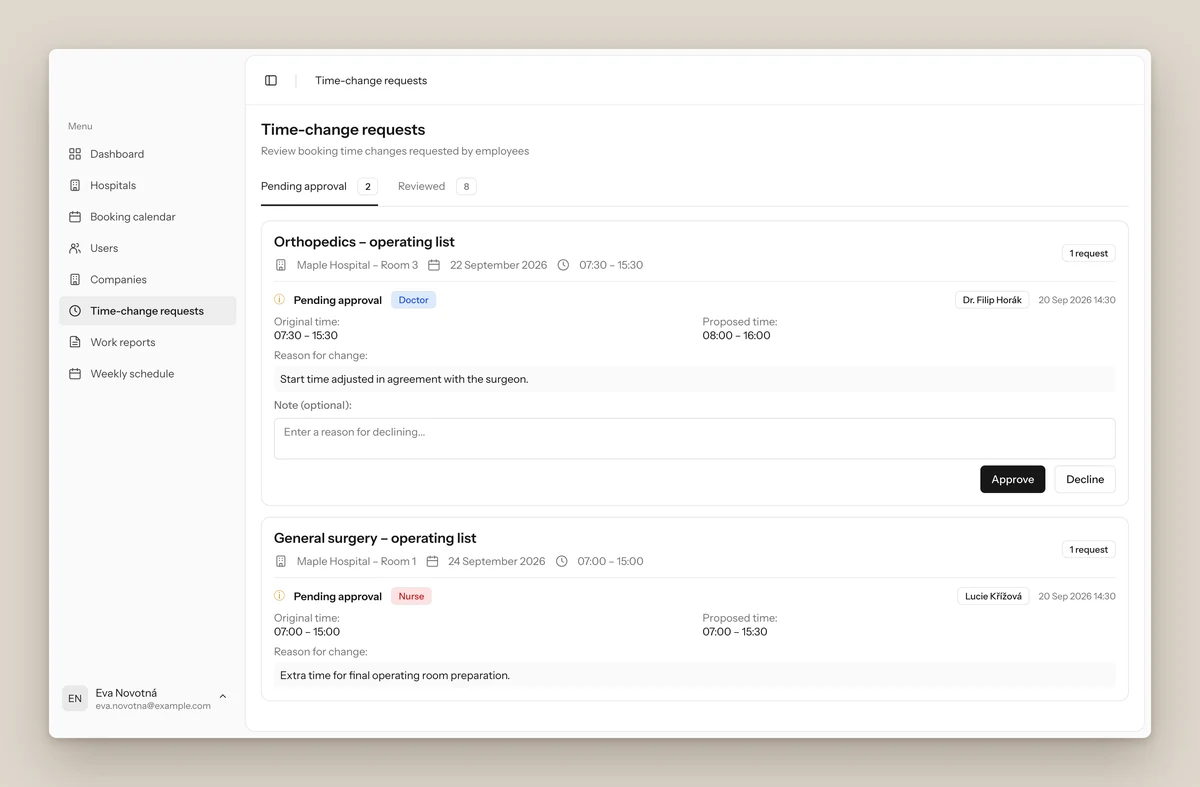
Time-change requests: two pending requests from a doctor and a nurse, each with the original time, the proposed time, a reason and approve or decline buttons
02 / Staff planning / Time-change requestsProduct screenshot · Demo data
Work reports: choose an employee, month and format, then a preview with hours worked, working days, days worked and the daily entries
03 / Staff planning / Work reportsProduct screenshot · Demo data
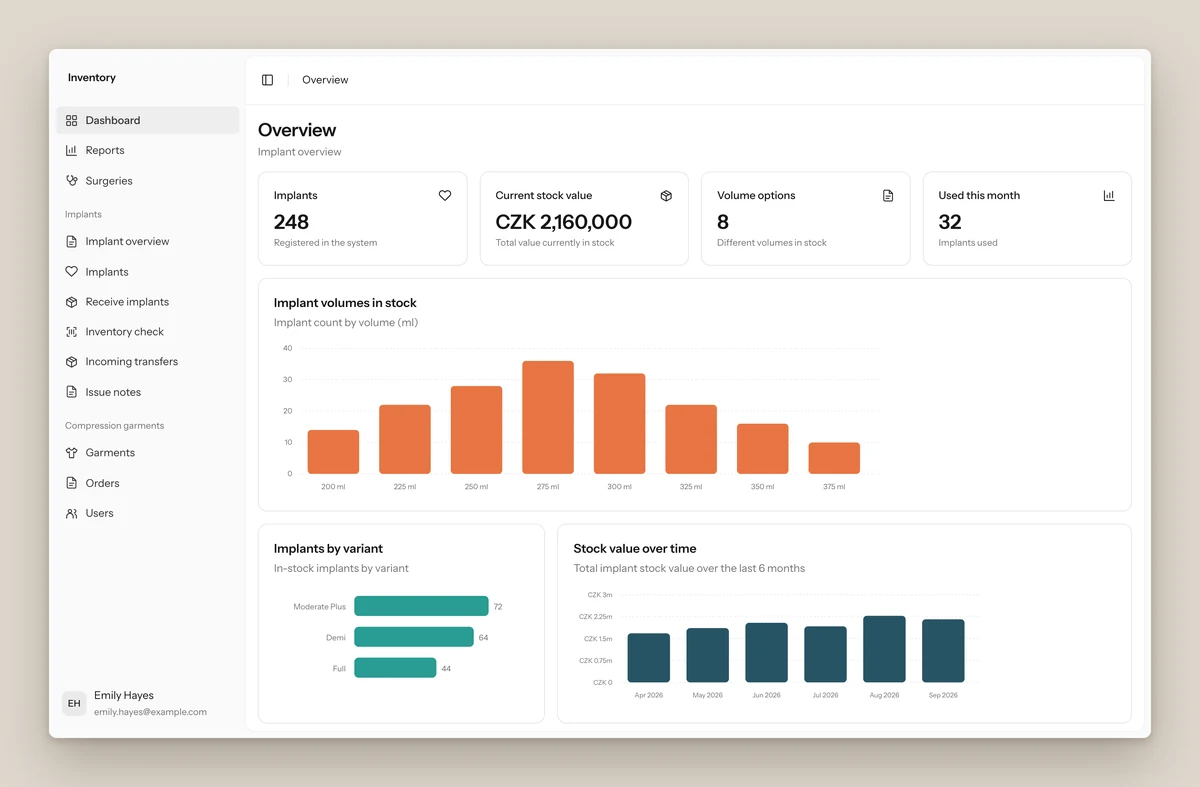
Inventory overview: number of implants, current stock value, volumes in stock, implants used this month, and charts of stock by volume, by variant and stock value over time
04 / Implant inventory / OverviewProduct screenshot · Demo data
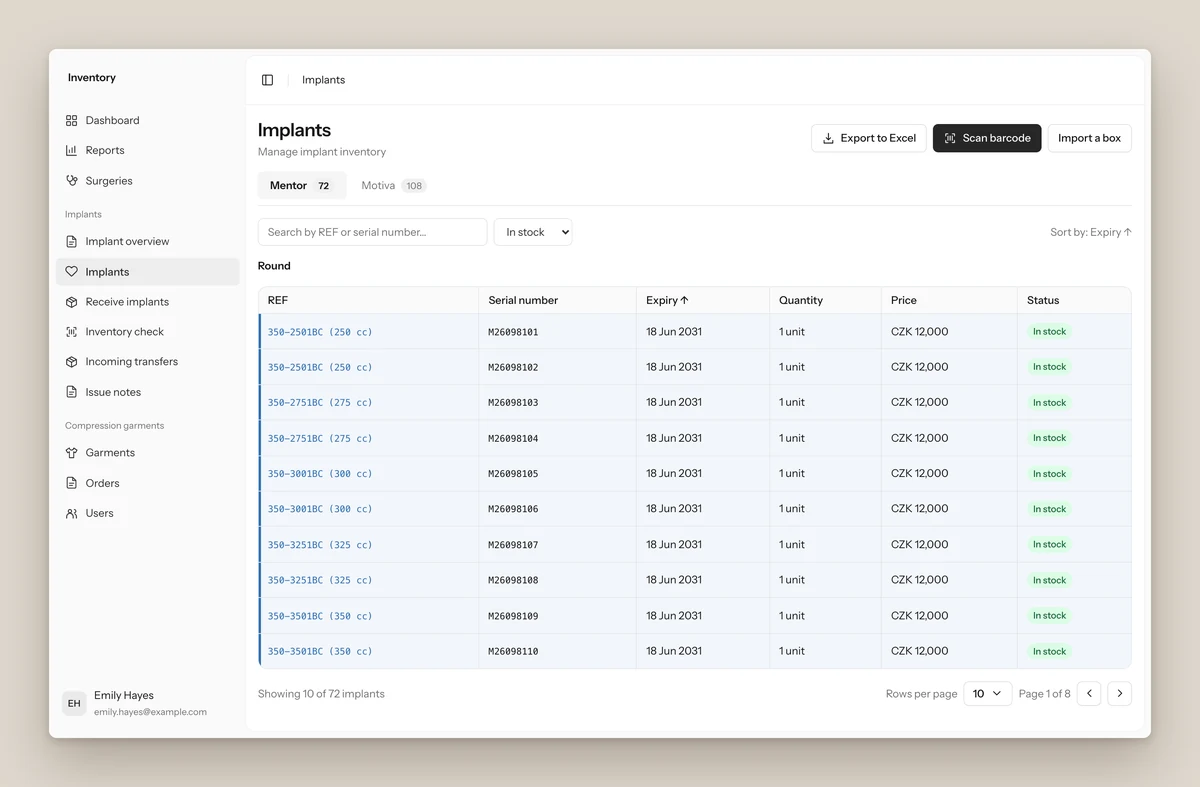
Implant list filtered to in stock: each implant with its REF, serial number, expiry, price and status, with buttons to scan a barcode or import a box
05 / Implant inventory / ImplantsProduct screenshot · Demo data
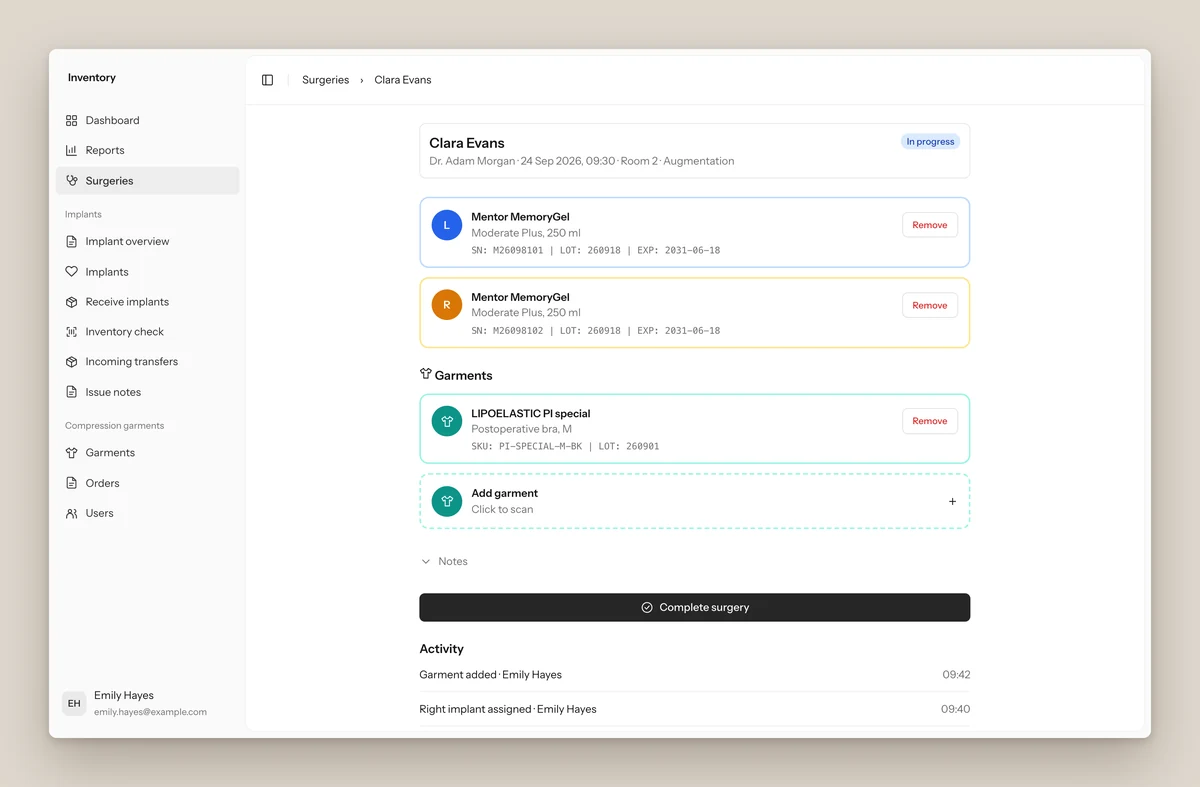
A surgery in progress: the left and right implant scanned in with serial, lot and expiry, a compression garment, a complete surgery button and an activity log
06 / Implant inventory / SurgeryProduct screenshot · Demo data
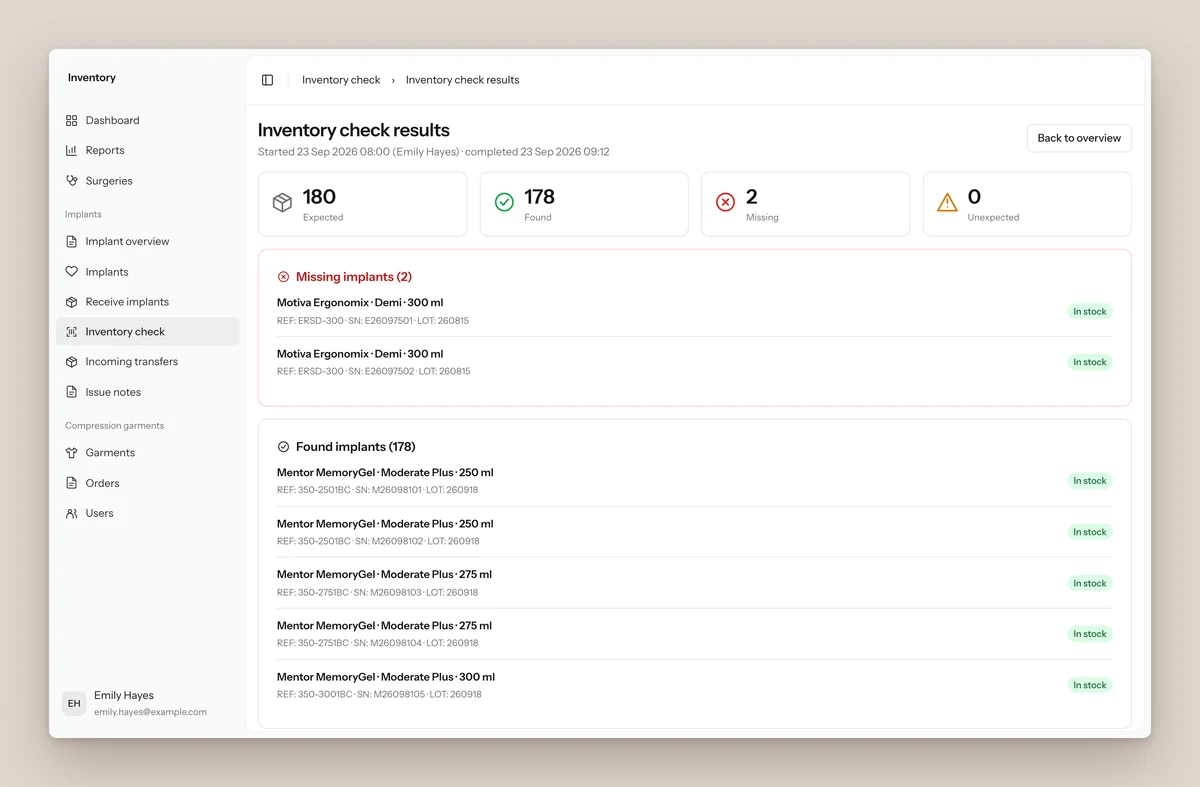
Inventory check results: 180 implants expected, 178 found, 2 missing and 0 unexpected, with the missing implants listed by REF and serial number
07 / Implant inventory / StocktakeProduct screenshot · Demo data

Using the emails staff already receive

Staff forward a supplier’s delivery note to the app. It reads the PDF and adds the implants as ‘on the way’. Scanning each box when it arrives moves it into stock.

Less typing, fewer mistakes

To add existing stock, staff can photograph a box label. The app reads its details, and a person checks them before saving. Each implant keeps its own history.
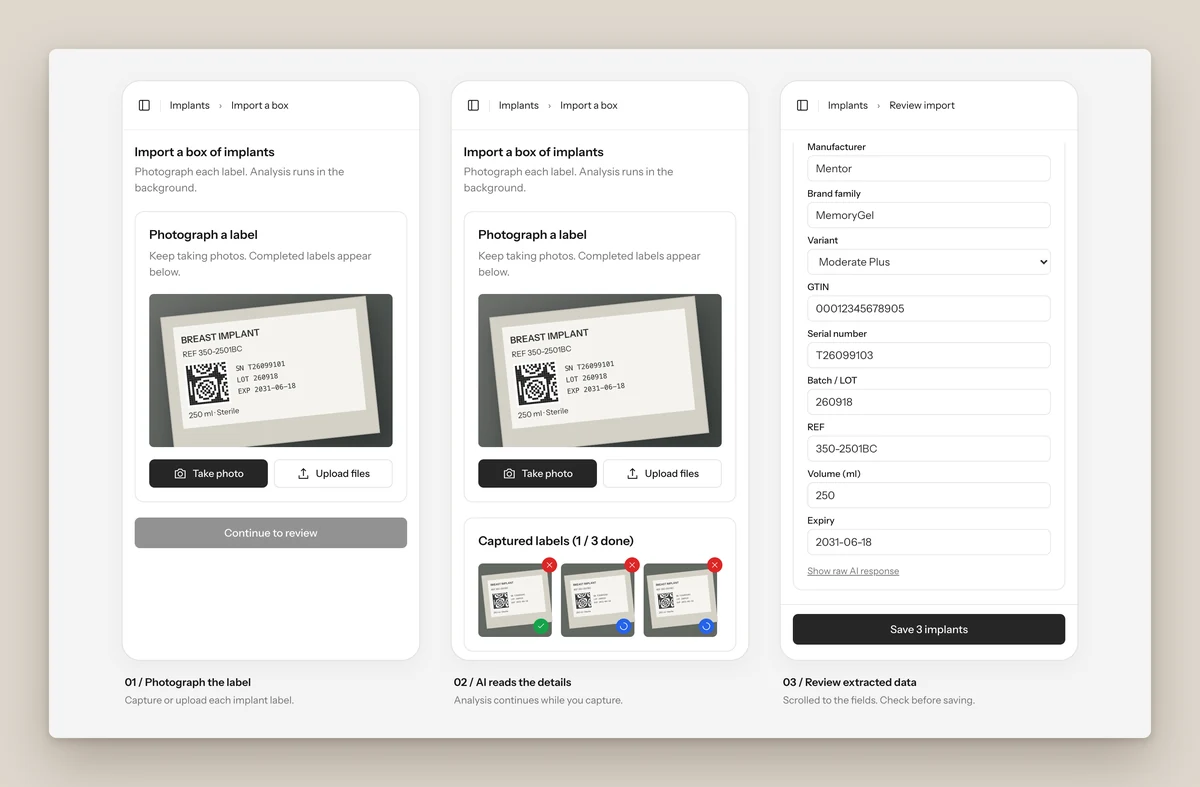
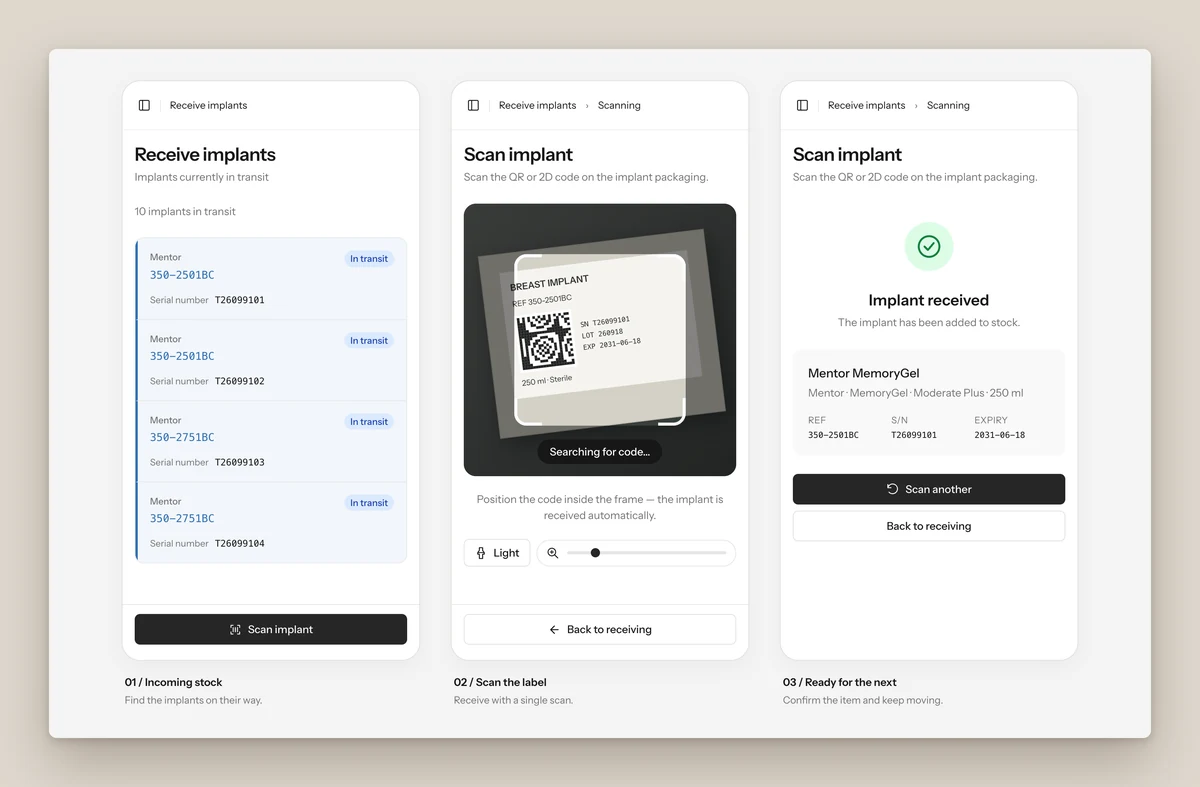
Photo import on a phone in three steps: photograph each implant label, the AI reads the details in the background while you keep capturing, then review the extracted manufacturer, GTIN, serial number, lot, REF, volume and expiry before saving
08 / Implant inventory / Photo importProduct screenshot · Demo data
Receiving on a phone in three steps: the list of implants in transit, the camera scanning the 2D code on the implant label, and a confirmation that the implant was added to stock
09 / Implant inventory / Receiving by scanProduct screenshot · Demo data

The work started with a calendar in 2025 and grew into four apps. The other two cover patient questionnaires and clinical records. Both apps are used every day.

Next project

Vstupko